Universal Design Floor Plans: AI Optimization Guide for Accessibility
Imagine designing a home that welcomes everyone, regardless of age or physical ability. This isn't just an idealistic goal; it is the foundation of universal design. These principles are currently transforming how we approach floor planning. Designing for inclusivity ensures that a space remains functional for a lifetime.
Many designers and homeowners unfortunately overlook accessibility until it is too late. This often leads to narrow doorways or steep steps that require costly renovations later. How can you ensure your home is ready for everyone? The answer lies in smarter planning.
By using modern technology, we can identify these barriers early. An AI floor plan creator can analyze your layout to find issues before construction starts. This guide will explore universal design principles and show how AI helps create beautiful, inclusive spaces.
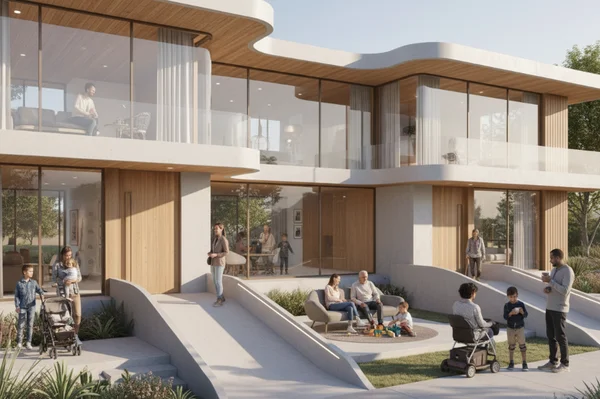
Understanding Universal Design Principles for Accessible Spaces
Universal design is about making products and environments usable by all people to the greatest extent possible. It is not just about adding a ramp or a grab bar. It is a philosophy that integrates accessibility into the DNA of a building. When you use an online floor plan tool, you can apply these rules to make any home more comfortable.
The 7 Principles of Universal Design Explained
Universal design is guided by seven core principles that ensure a space works for everyone:
-
Equitable Use: The design is useful and marketable to people with diverse abilities. It doesn't segregate or stigmatize any user.
-
Flexibility in Use: The design accommodates a wide range of individual preferences and abilities, such as being usable by both right-handed and left-handed people.
-
Simple and Intuitive Use: Understanding the layout should be easy, regardless of the user's experience, knowledge, or language skills.
-
Perceptible Information: The design communicates necessary information effectively to the user, regardless of ambient conditions.
-
Tolerance for Error: The layout minimizes hazards and the adverse consequences of accidental or unintended actions.
-
Low Physical Effort: The design can be used efficiently and comfortably with a minimum of fatigue.
-
Size and Space for Approach and Use: Appropriate size and space are provided for approach, reach, and manipulation, regardless of the user's body size or posture.
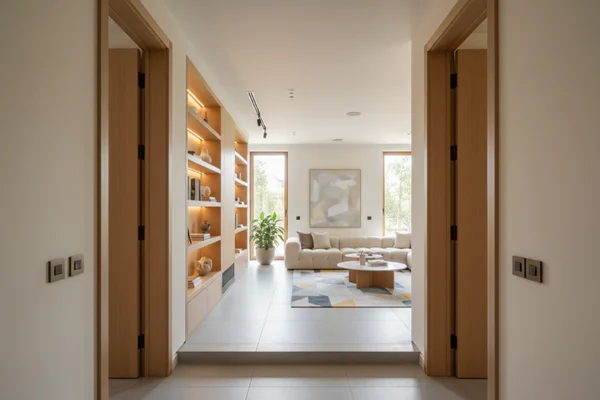
Beyond Compliance: Creating Aesthetic Inclusive Spaces
In the past, many people thought "accessible" meant "clinical" or "ugly." That is no longer true. Modern accessible floor plans prove that high-end aesthetics and functionality can coexist. You can have wide, open hallways that feel luxurious while also allowing a wheelchair to pass easily.
Think about "curb-cut" designs. Originally made for wheelchairs, they are now loved by parents with strollers and travelers with luggage. A well-optimized layout improves the quality of life for every occupant. Using an AI design assistant allows you to visualize these elegant solutions without sacrificing your personal style.
Universal Design vs. Accessibility: Key Differences
While people often use these terms interchangeably, they have different meanings. Accessibility is often about meeting specific legal standards, like the ADA (Americans with Disabilities Act). It focuses on making sure people with disabilities can access a space.
Universal design is broader. It aims to make the space better for everyone, including children, the elderly, and people with temporary injuries. While accessibility is a requirement, universal design is a standard of excellence.
ADA Compliance Strategies
For professionals like architects and real estate agents, understanding ADA compliance is critical. A layout that fails these standards can lead to legal issues or a lower property value. Optimizing your layout for these standards ensures that the home is ready for any potential buyer or resident.
Critical ADA Requirements for Residential Floor Plans
Even though ADA standards are primarily for public spaces, they provide the "gold standard" for residential design. Key requirements include:
- Doorway Width: Doors should have a clear width of at least 32 inches when open at 90 degrees.
- Thresholds: Doorway thresholds should be no higher than 1/2 inch to prevent tripping.
- Switch and Outlet Height: Light switches and electrical outlets should be reachable from a seated position, usually between 15 and 48 inches from the floor.
Wheelchair Accessible Layout Optimization Techniques
A wheelchair needs more than just wide doors; it needs room to turn. This is where many floor plans fail. Manual wheelchairs need a 60-inch clear space to turn safely. Our AI tool flags areas where your layout falls short, suggesting small changes like shifting a wall.
When you optimize your layout, look at the "dead zones" in your rooms. Often, moving a single wall by six inches can turn a cramped room into a fully accessible one. AI tools are excellent at spotting these small adjustments that make a massive difference in mobility.
Clear Floor Space and Maneuvering Circulation Analysis
Circulation is the "flow" of a home. In an accessible floor plan, circulation paths must be clear of obstacles. This includes ensuring that furniture placement doesn't block the "natural path" through a room.
Analyze your "maneuvering clearances." For example, there should be enough space next to a door handle for someone in a wheelchair to reach it without the door hitting their chair. These small technical details are what separate a professional plan from a DIY draft.
AI-Powered Solutions for Aging-in-Place Home Design
Most people want to live in their own homes for as long as possible. This concept is known as "Aging-in-Place." By using an AI floor plan optimizer and our Aging-in-Place Planner, you can future-proof your home now so you don't have to move later.
Future-Proofing Your Home: Universal Design for All Ages
Future-proofing means thinking about the "what-ifs." What if a family member breaks a leg? What if your parents move in? A universal design handles these changes easily.
One of the best ways to future-proof is by designing a "no-step entry." This means at least one entrance to the home has no stairs. It looks modern and clean, and it makes moving heavy furniture or groceries much easier.
Bathroom and Kitchen Accessibility Innovations
The kitchen and bathroom are the most dangerous rooms for seniors. They are also the most important for independence.
- Kitchens: Consider multi-level countertops. Having a lower section allows someone to prep food while sitting down.
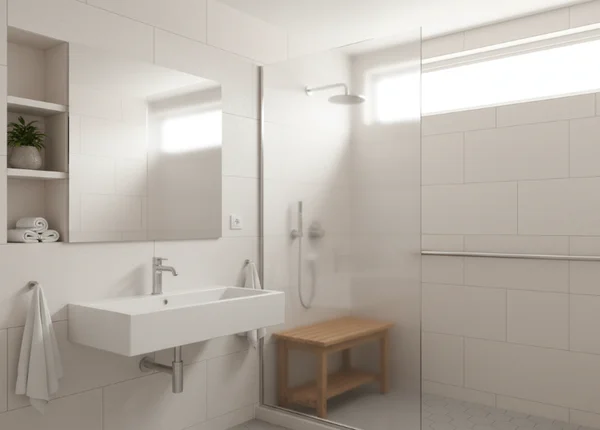
- Bathrooms: Curbless showers (walk-in showers with no lip) are safer and look like a high-end spa feature.
You can simulate accessibility upgrades to see how these features fit into your existing square footage without requiring a massive extension.
Technology Integration for Independent Living
Modern homes can now include "smart" features that support accessibility. Voice-activated lighting, automated blinds, and smart thermostats allow people with limited mobility to control their environment.
Plan dedicated zones for tech controls (e.g., voice hubs near seating). AI-generated layouts map ideal placements for effortless smart-home access.
Practical Case Studies: Before-and-After Accessibility Optimizations
To understand the power of optimization, let's look at how AI helps solve real-world design problems. These examples show how existing layouts can be transformed.
Case Study 1: Compact Apartment Transformation
A client had a small 600-square-foot apartment that felt cramped and difficult for a visitor with a walker. The original layout had a narrow hallway and a bulky kitchen island.
By using an AI optimization tool, the owner found that rotating the kitchen island and widening the bathroom door by just 4 inches created a circular flow. The apartment actually felt larger because the "dead space" was removed.
Case Study 2: Multigenerational Home Layout Redesign
A family wanted to add an "in-law suite" for a grandparent. The original draft had the suite on the second floor. The AI analysis pointed out the long-term risk of stairs and suggested converting a formal dining room on the first floor into the suite. This saved the family thousands of dollars in elevator installation costs.
Case Study 3: Historic Home Modernization with Accessibility
Historic homes charm with their details but challenge accessibility. Pocket doors, for instance, preserve aesthetics while adding crucial clearance. Replacing traditional swinging doors with these sliding alternatives saved space and improved access without changing the home’s historic footprint.
Your Path to Creating Accessible Floor Plans
Universal design isn’t just a checkbox—it’s your blueprint for a home that adapts as life evolves. By focusing on the 7 principles of universal design, you create a home that is safer, more comfortable, and more valuable. Early planning is the key to avoiding expensive mistakes and ensuring your space is truly inclusive.
Technology makes this process easier than ever. You don't need to be an architect to find the flaws in your layout. Whether you are a professional or a DIY enthusiast, AI can provide the "second opinion" you need to perfect your design.
Ready to see how AI can transform your floor plans into accessible spaces? Upload your design and receive expert optimization suggestions that prioritize universal design principles.
FAQ Section
How much does it cost to make a home accessible?
Planning accessibility early often costs little. For example, widening doorways during construction adds minimal expense vs. $5,000+ for retrofits later. Using an AI tool can help you find low-cost ways to optimize your existing space.
Can I make my home accessible without major renovations?
Yes. Many improvements are non-structural. Replacing door hinges with "swing-clear" hinges, adding grab bars, and improving lighting can make a huge difference. You can test your ideas online to see which minor changes offer the most benefit.
What's the difference between ADA and universal design standards?
ADA is a set of legal requirements focused specifically on disability access, primarily for public buildings. Universal design is a broader design philosophy aimed at making environments usable for everyone, regardless of age or ability.
Will accessible design decrease my home's value?
Actually, it usually increases it. As the population ages, more buyers are looking for "forever homes" that already have walk-in showers and wide doorways. A home that is future-proofed is highly attractive to a wide range of buyers.
How can I identify accessibility barriers in my existing floor plan?
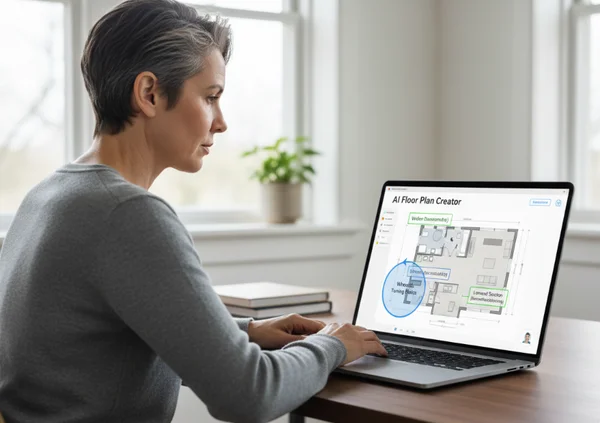
The easiest way is to use a floor plan analysis tool. You can upload a PDF or image of your plan, and the AI will highlight areas where mobility might be restricted, such as narrow corridors or insufficient turning space in bathrooms.